03 · field notes · creator · open source
Product OS: I turned the way I run product work into 40 AI agents, then gave it away
This one is not a client project. It is the system I built with Claude Code to do my own job, as the person who runs discovery, writes the requirements, designs the product and manages the backlog. The agents write the documents. I make every decision.
- role
- Creator and maintainer
- built with
- Claude Code
- runs in
- Claude Code, claude.ai and Cursor
- source
- Product OS on GitHub, MIT licence
- 40specialist agents, each owning one document or job
- 9phases, from intake to measure
- 47commands in Claude Code
- 0documents reach Jira or Confluence without approval
$ git clone https://github.com/johnedelatorre/product-os
$ /product-os:guide --project ask-ai
phase 4 of 9 · define
agent  PRD Author drafted prd.md from the intake and the research.
agent  3 open questions. 2 hypotheses, each with a test.
you    Cut the second goal. Move the baseline to an open item.
agent  Revised. Publish to Confluence?
you    approve
published · nothing reaches Jira or Confluence until you approve it
01 · why I built it
The document work was taking over the job
On a small team, one person runs discovery, writes the requirements, designs the product and manages the backlog. I am that person. Most of the time went to producing documents: writing PRDs from scratch, formatting Confluence pages, copying stories into Jira, redrawing the same flow diagrams.
The work that moves a product is prioritization, trade-offs and alignment. It was getting what was left. I wanted the document work done in a fraction of the time, without lowering the standard, and without handing a decision to an AI.
a head of product gets
One standard for PRDs, stories, gates and metrics across every team.
a product manager gets
PRDs, briefs, plans and Jira-ready stories drafted for review, in one consistent format.
a product designer gets
Design briefs, flows, wireframes and prototypes, plus a critique, a UX review and an accessibility audit.
02 · how a run works
Nine phases. An agent writes. I decide.
Each phase has its own agents, a playbook and a template, so the result has the same structure every time, whoever runs it. Each card below is one phase: its agents, its commands, the documents it writes, and the decision that stays with a person.
- 1Intake
- 2Discoveryoptional
- 3Prioritize
- 4Define
- 5Design
- 6Reviewgate: review exit check
- 7Delivergate: ready, then your approval to publish
- 8Launch
- 9Measure
1
Intake
Raw input becomes a problem statement.
agents
Intake Analyst
it writes
intake.md
commands
intakeproposeyou decideIs this the right problem?
2
Discovery
Explore the problem space. The only phase that can be skipped.
agents
Opportunity TreeHypothesis LoggerMarket and CompetitiveExperiment Designer
it writes
opportunity treehypothesis logmarket briefcompetitive brief
commands
opportunity-treehypothesesmarketcompetitiveresearchexperimentyou decideWhat did we learn, and what do we still not know?
3
Prioritize
Decide if and when to build.
agents
StrategistRoadmap Agent
it writes
prioritization.mdroadmapOKRs
commands
prioritizeroadmapokrsprfaqyou decideWhat goes first, and what waits?
4
Define
The PRD, the brief, the metrics and the plan.
agents
PRD AuthorProject BriefMetrics DesignerProject Planner
it writes
prd.mdproject-brief.mdmetrics-framework.mdproject-plan.md
commands
prdreview-prdbriefplanmetricstrackingrisksdependenciesyou decideWhat are we building, and how will we know it worked?
5
Design
From a design brief to a clickable prototype.
agents
Design BriefFlow DesignerWireframerPrototyper
it writes
design-brief.mdflows.yamlwireframes.mdprototype.html
commands
design-briefflowswireframesprototypefigmaartifactsyou decideDoes this solve the problem for the user?
6
Review
Three reviews, then an exit check.
agents
Design CriticUX ReviewerAccessibility Auditor
it writes
design-critique.mdux-review.mdaccessibility-audit.md
commands
critiqueux-reviewa11ygateyou decideIs every finding resolved, or accepted with a written risk?
7
Deliver
Epics and stories, checked against a Definition of Ready.
agents
Delivery AgentJira SyncConfluence
it writes
epics.mdstories.mdgate-report.mdtraceability.md
commands
deliverpublishjira-syncyou decideExactly what gets published to Jira and Confluence.
8
Launch
Release notes, enablement and communications.
agents
Launch ManagerStakeholder Comms
it writes
release-notes.mdenablement.mdlaunch-checklist.md
commands
launchcommsrelease-gateyou decideShip, hold or roll back?
9
Measure
Results against targets, and what to do next.
agents
Event TrackerPost-Launch Review
it writes
post-launch-review.md
commands
review-launchretroyou decideContinue, change or stop?
Always running: four agents keep the Artifact Registry, the Decision Log, the Debt Tracker and the Dependency Tracker up to date across every phase. Commands are written /product-os:name.
A guided mode walks through all nine phases with questions. A progress file records the phase, the status of each document and the open items, so a run can stop and resume.
The system, in four diagrams
These come from the repository, redrawn in one style. Each one opens in an overlay.
03 · three rules I built in
One specialist per document, a person at every gate, no new app
one specialist agent per document
A general assistant gives a different PRD every time. Each document and each job has its own agent, with a playbook and a template to follow.
a person decides, at every step
What problem to solve, what to prioritize, which trade-off to make, when to ship. Every step waits for approval.
it runs where the team already works
Inside Claude Code, claude.ai and Cursor, and it publishes to the Confluence and Jira a team already has.
What an agent's draft looks like
- problem
- No roster view. To answer "which of my athletes best fit apparel?", an agent opened every athlete's dashboard and compared them by hand.
- solution
- An AI agent on the Virtus data pipeline that turns per-athlete data into roster-level answers in plain words.
- the rule
- Every number comes from Virtus data and is cited.
- success measure
- Helpful answers and insights saved or reopened per active account.
Phase 6 ends with a review check: every design critique, UX and accessibility finding is resolved, or accepted with a written risk, before any story is written.
04 · what a run produces
Twelve artifacts, in the order a run creates them
The repository includes a worked example, a fictional dashboard performance project. These are twelve of the documents a run leaves behind, in the order they are created. Each one opens larger.
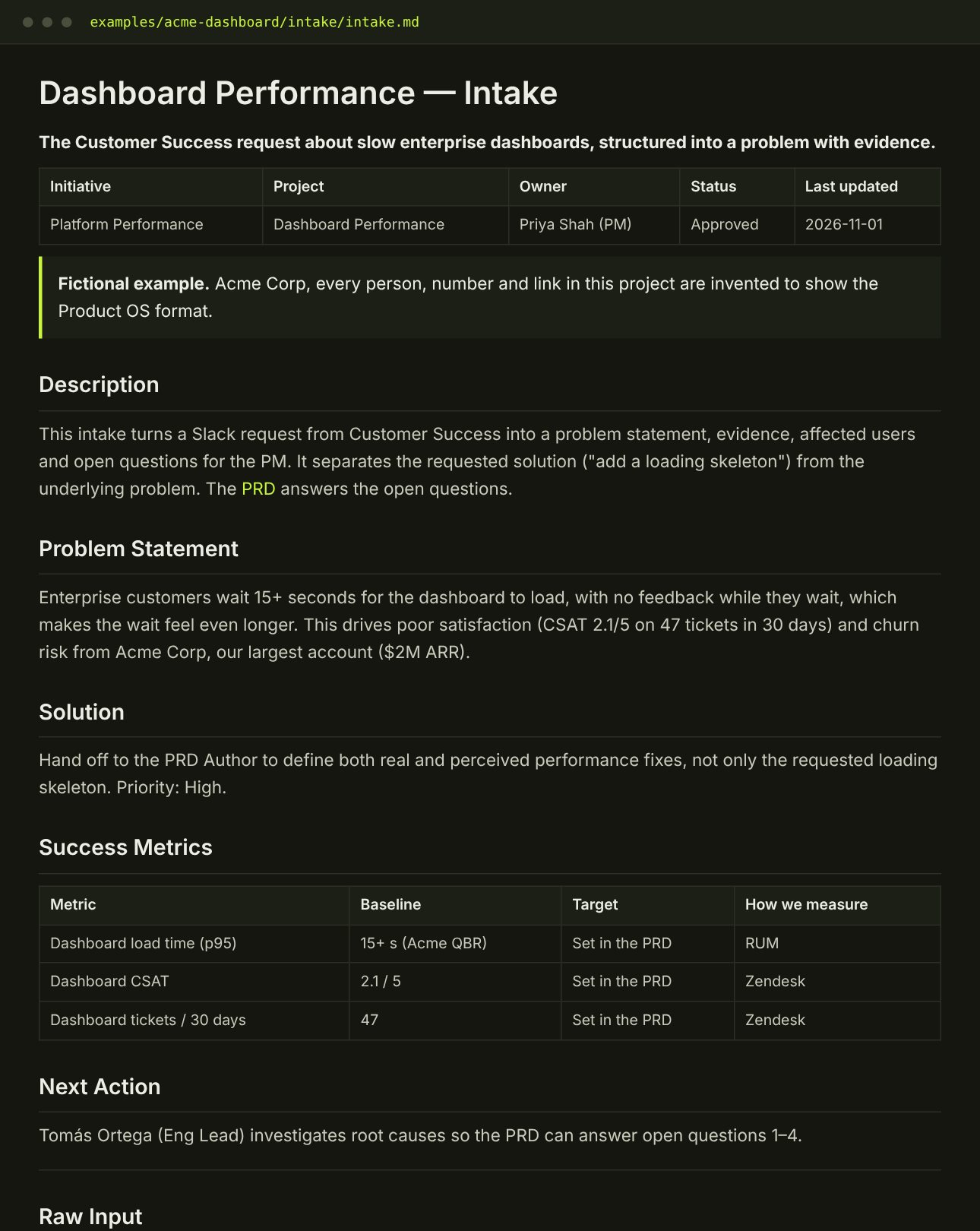 IntakeThe raw request, rewritten as a problem with evidence01 · intake · Intake Analyst02
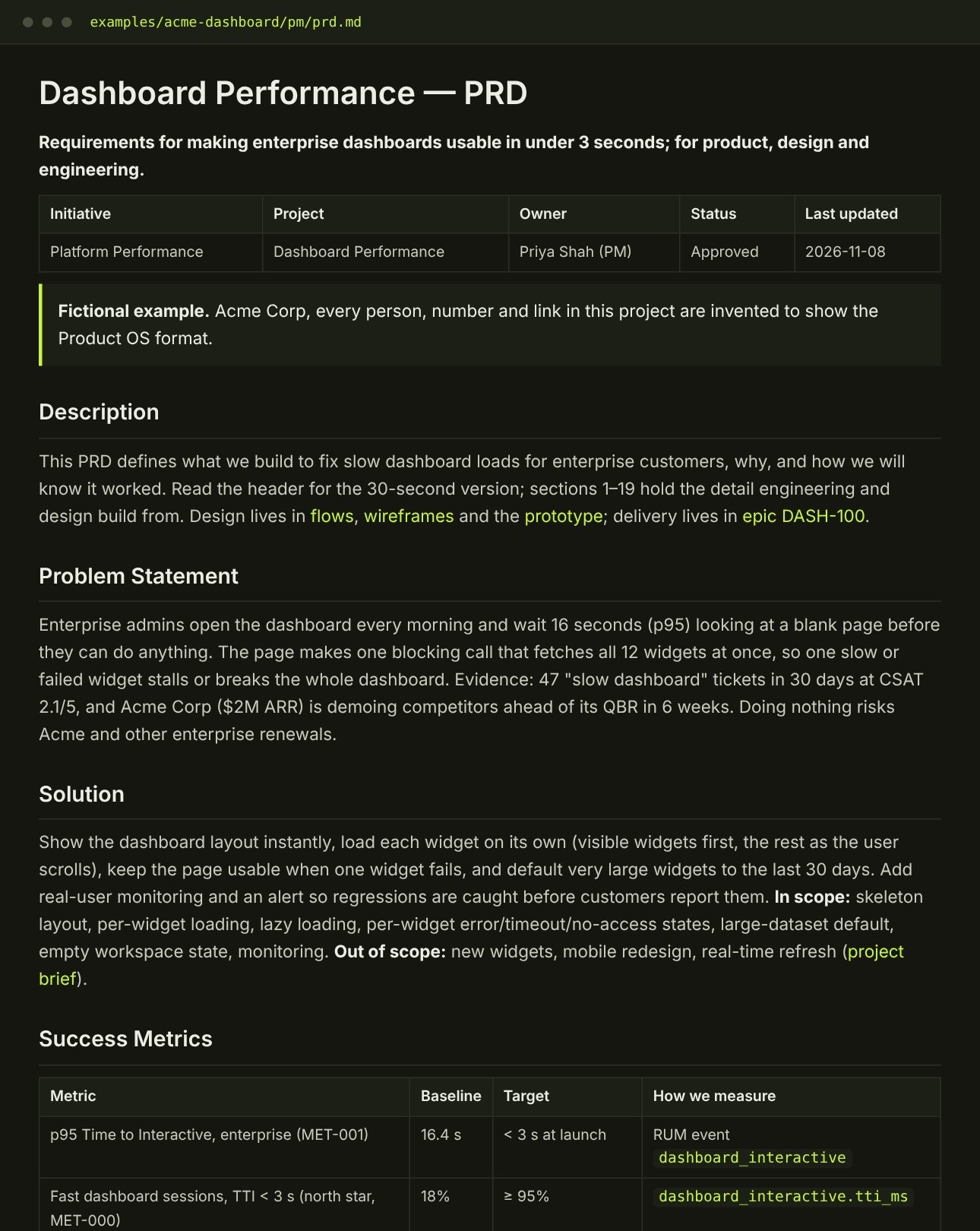 PRDWhat we build, for whom, and how we measure it, in 19 sections04 · define · PRD Author03
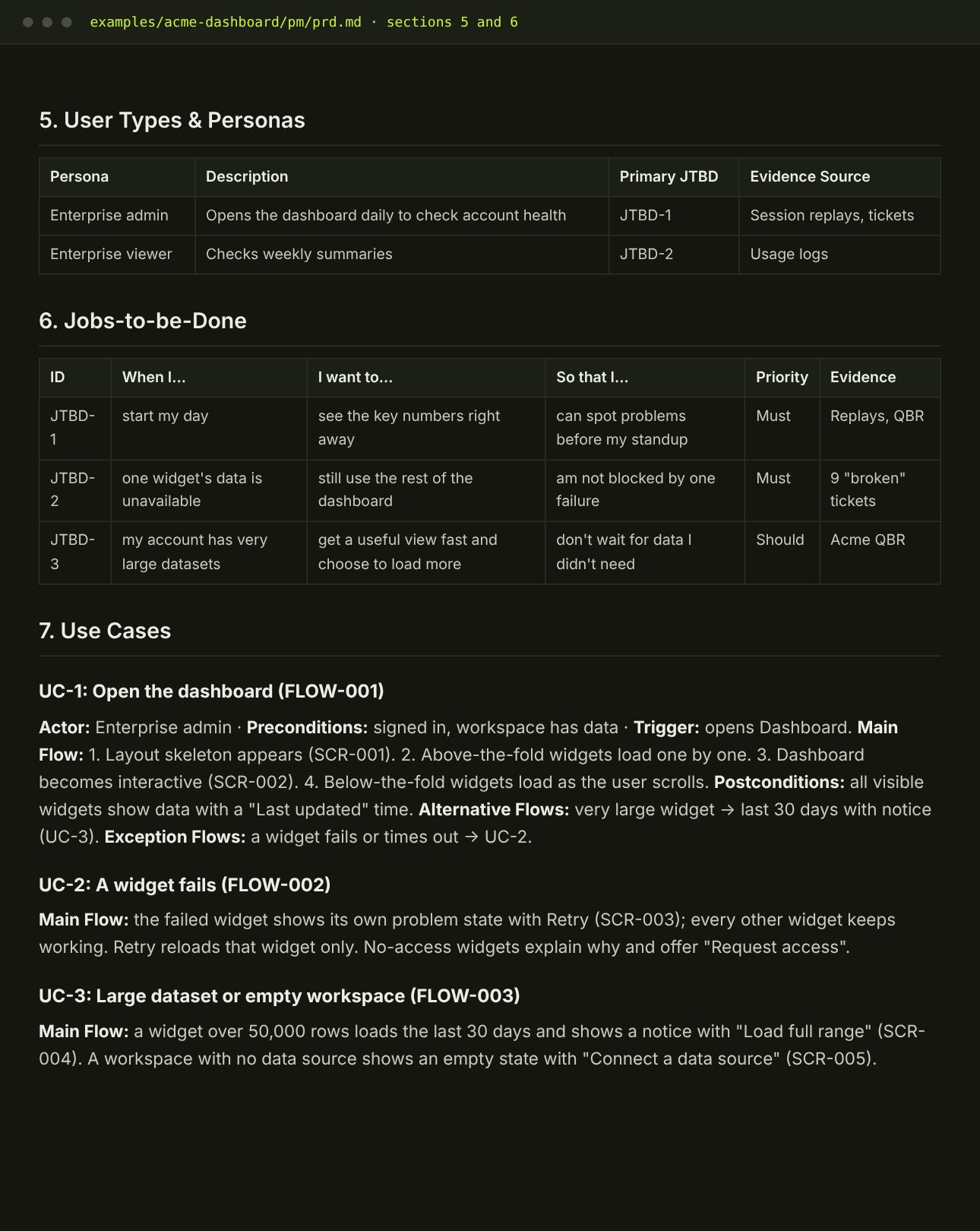 Personas and jobs-to-be-doneUser types, personas, jobs and use cases, inside the PRD04 · define · PRD Author04
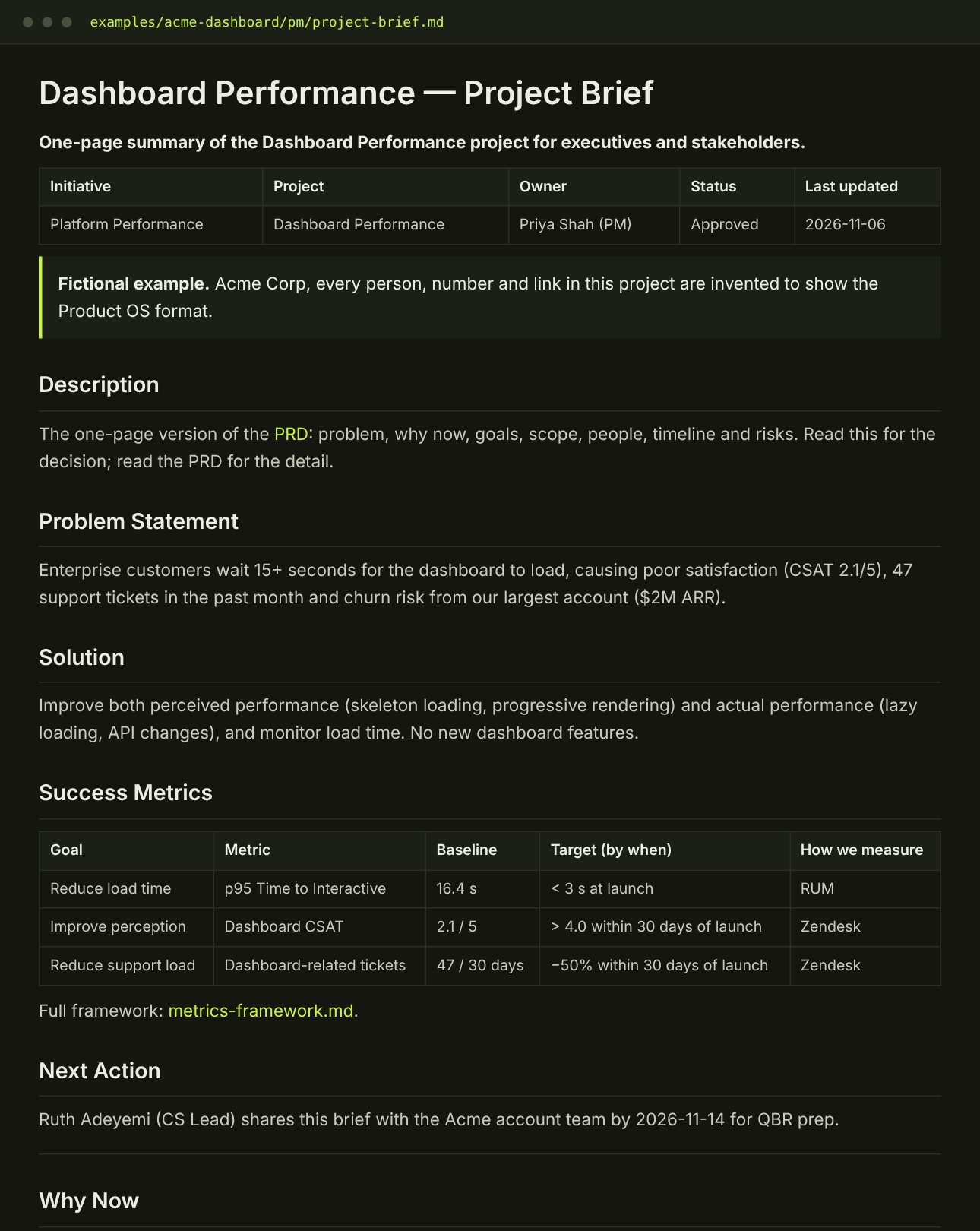 Project briefThe PRD on one page, for executives and stakeholders04 · define · Project Brief05
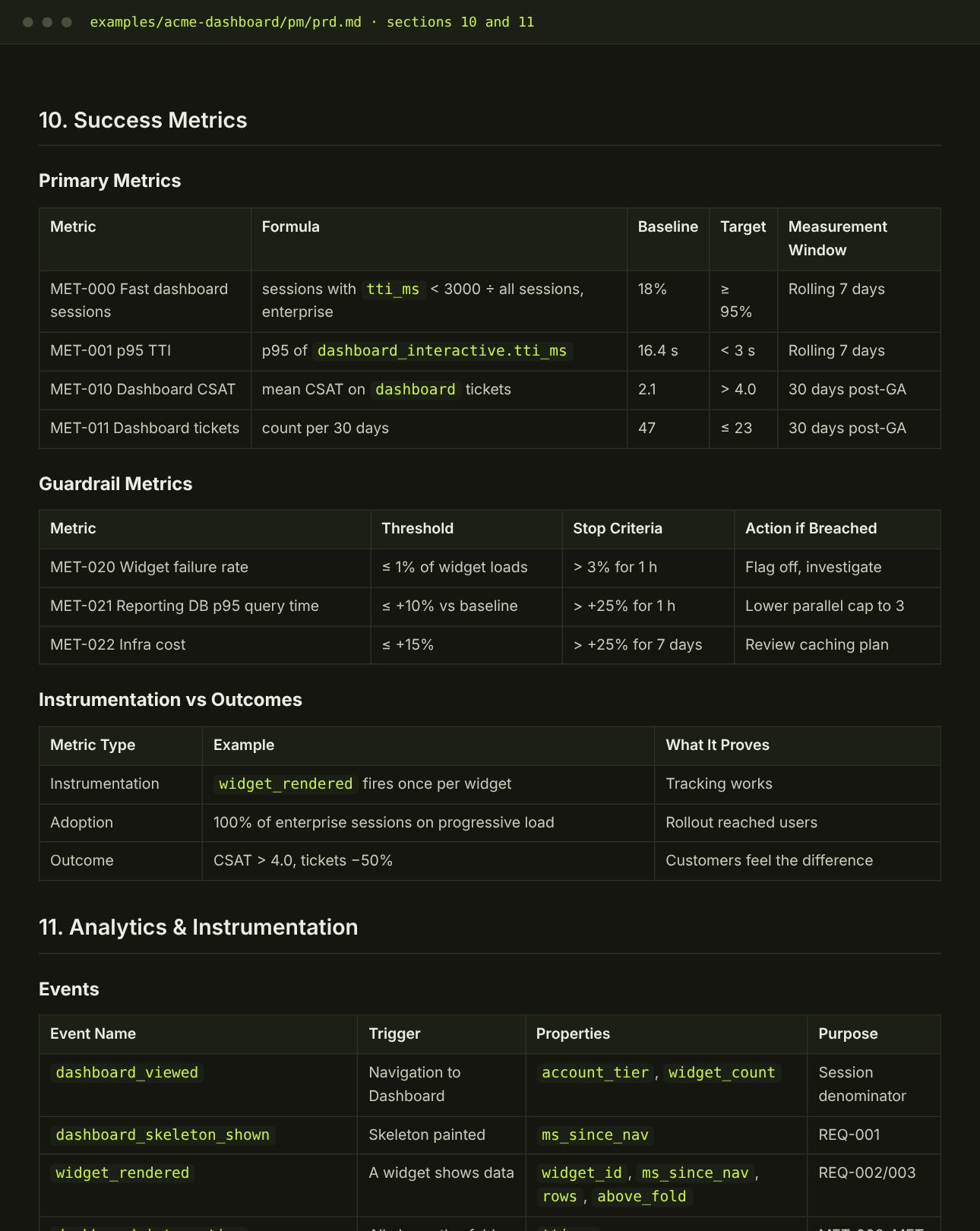 Metrics and event schemaNorth star, guardrails, and the analytics events with their properties04 · define · Metrics Designer06
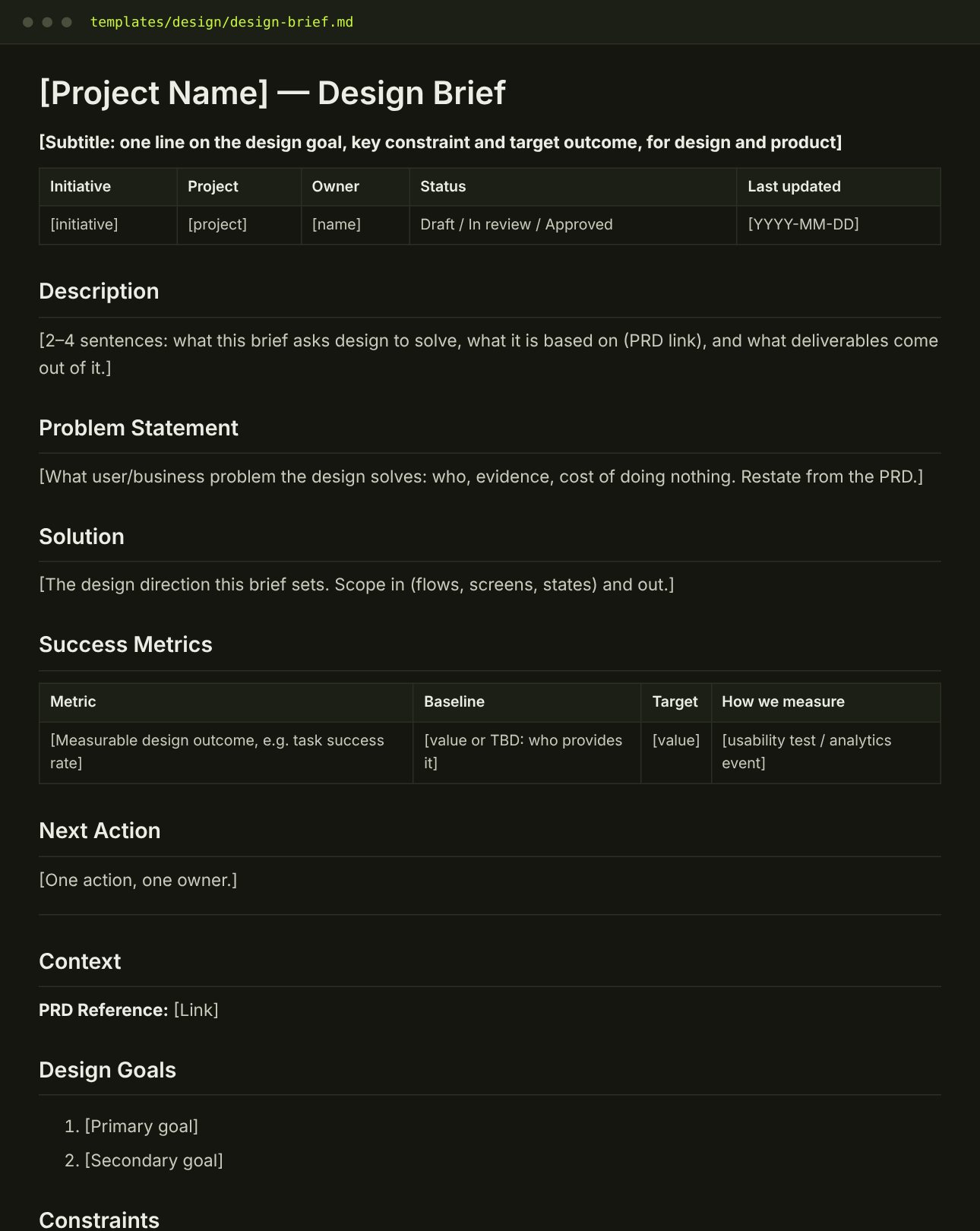 Design briefDesign goals, constraints, target users and deliverables05 · design · Product Designer07
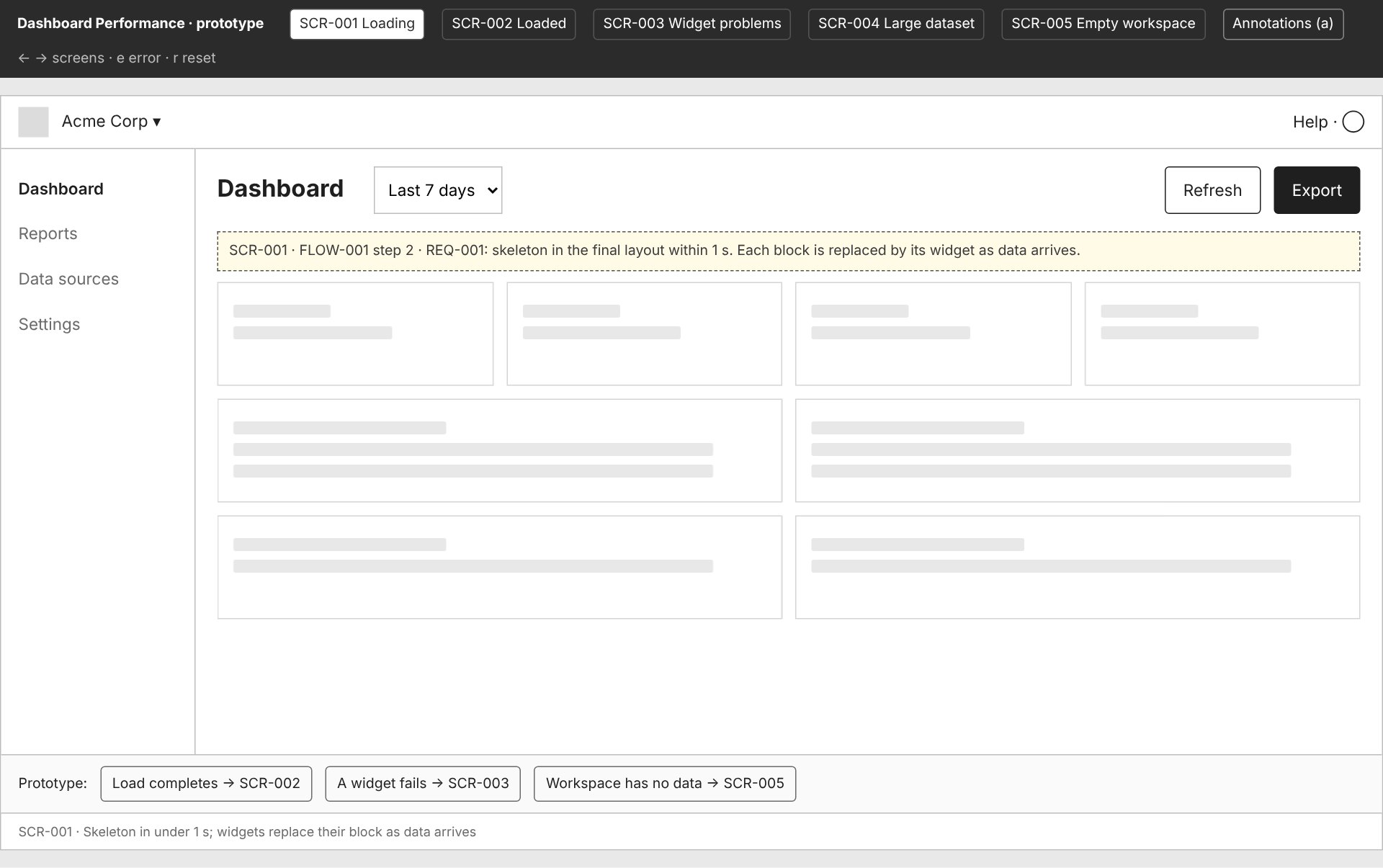
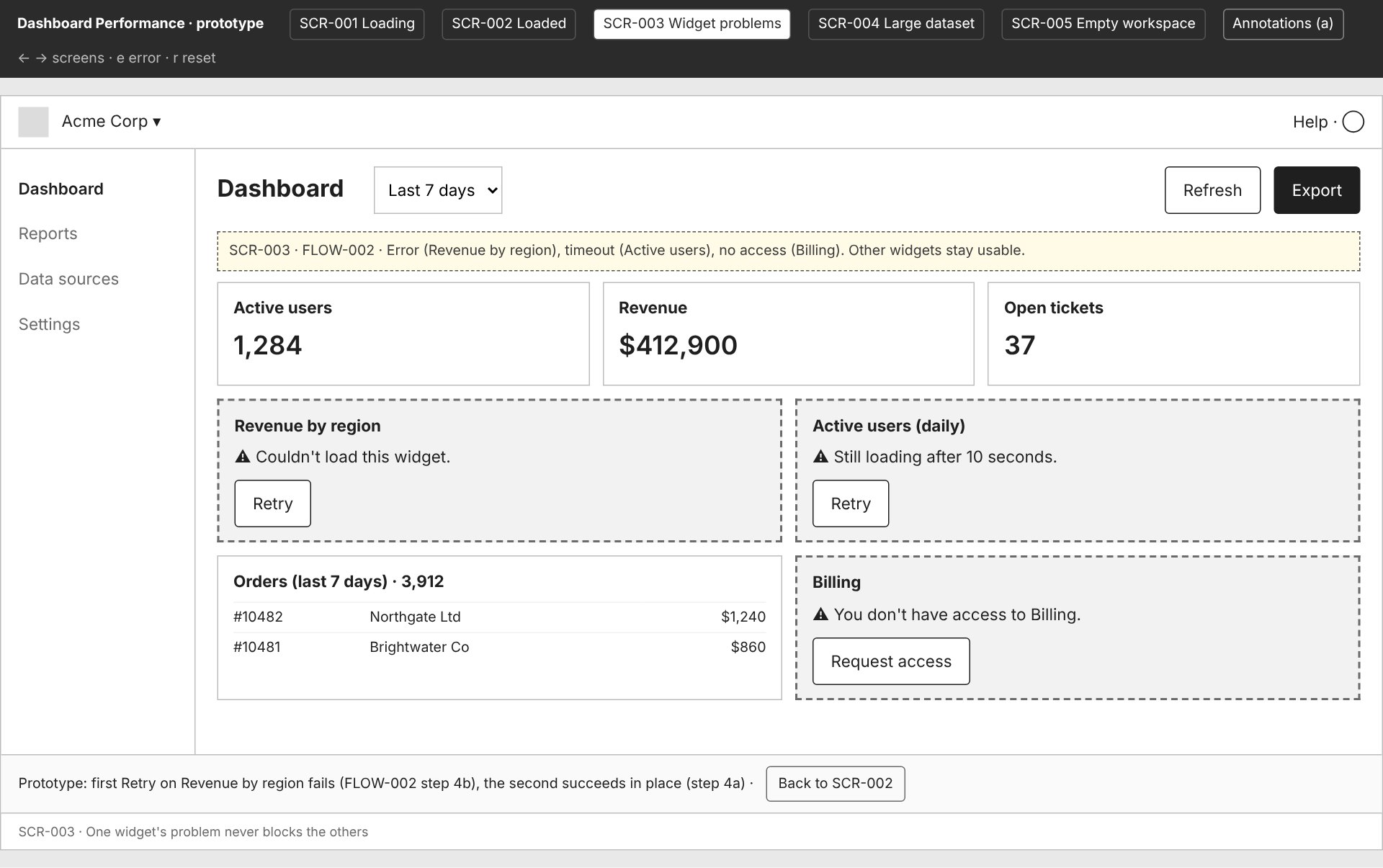
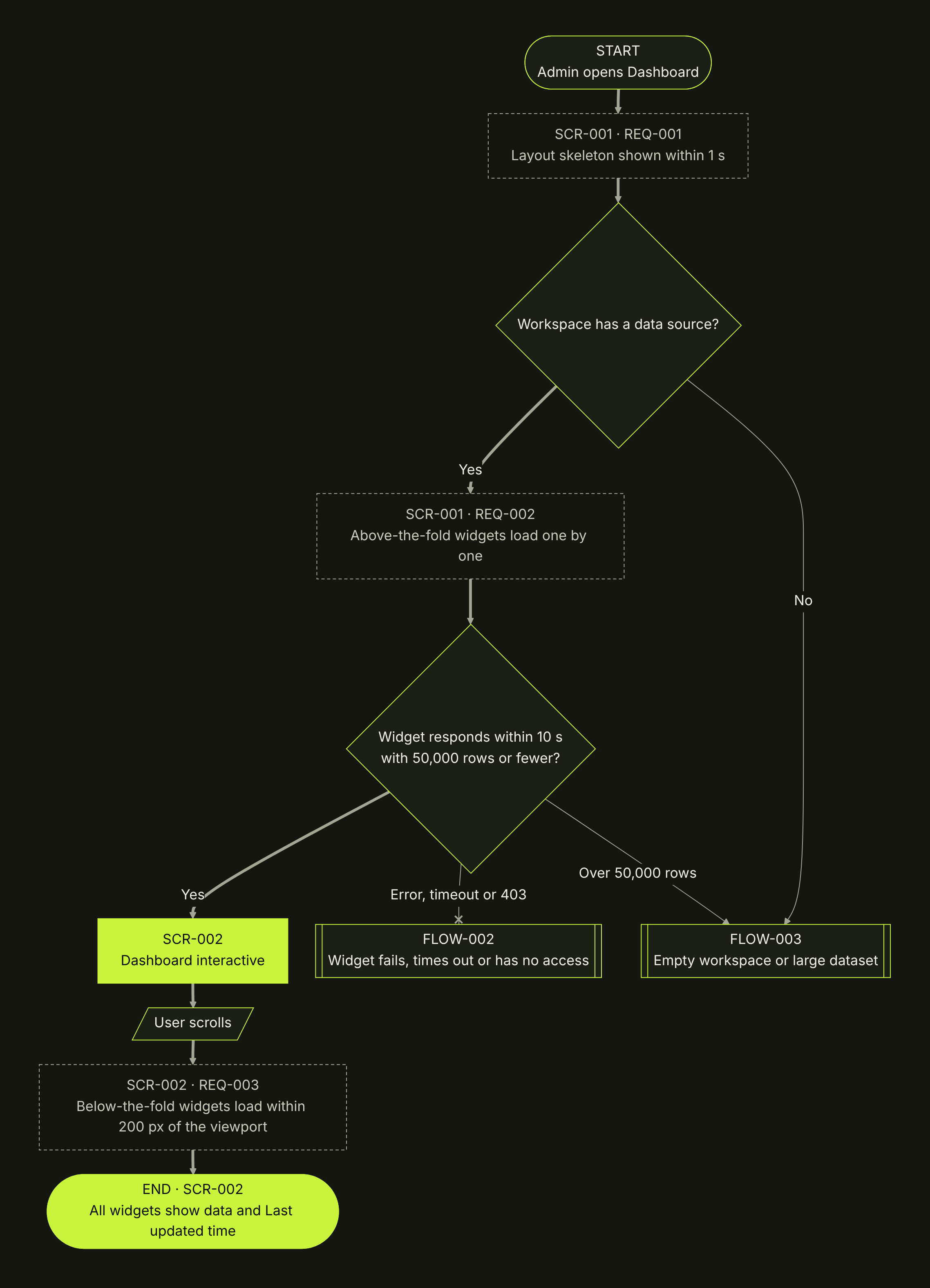 User flow diagramsHappy path, edge cases and errors, each step tied to a requirement05 · design · Flow Designer08
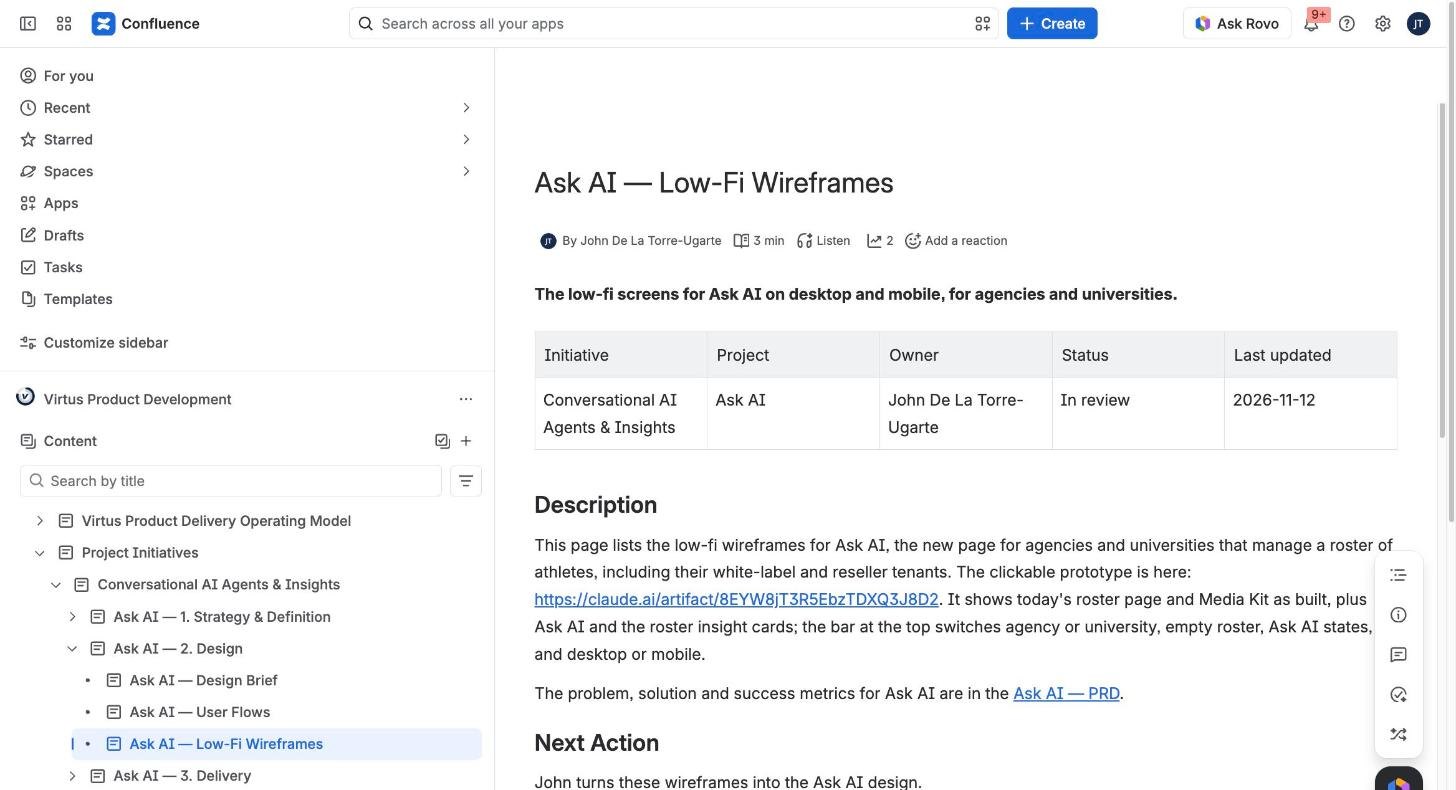
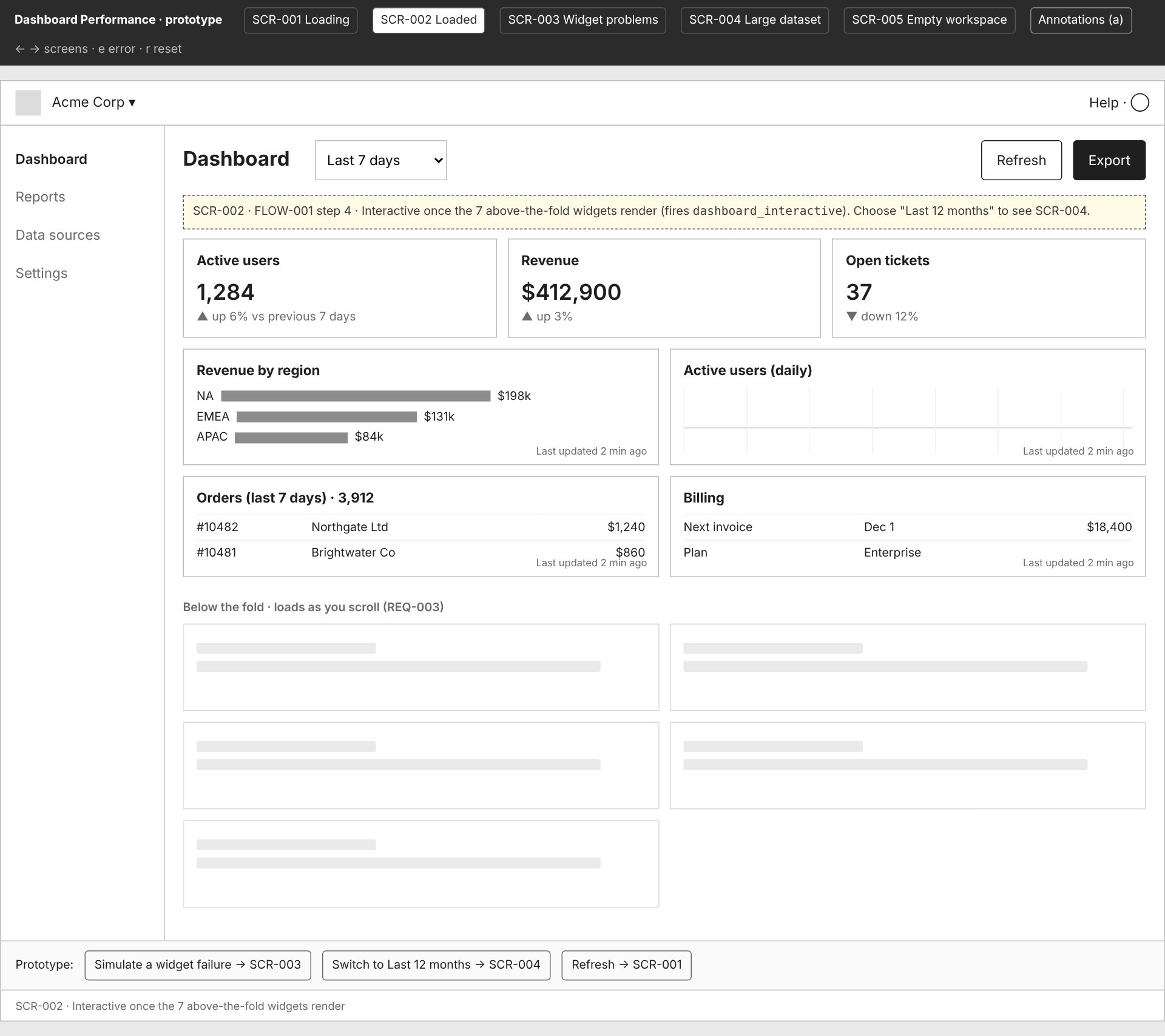 Low-fidelity wireframesWireframes, linked into a clickable prototype05 · design · Wireframer, Prototyper09
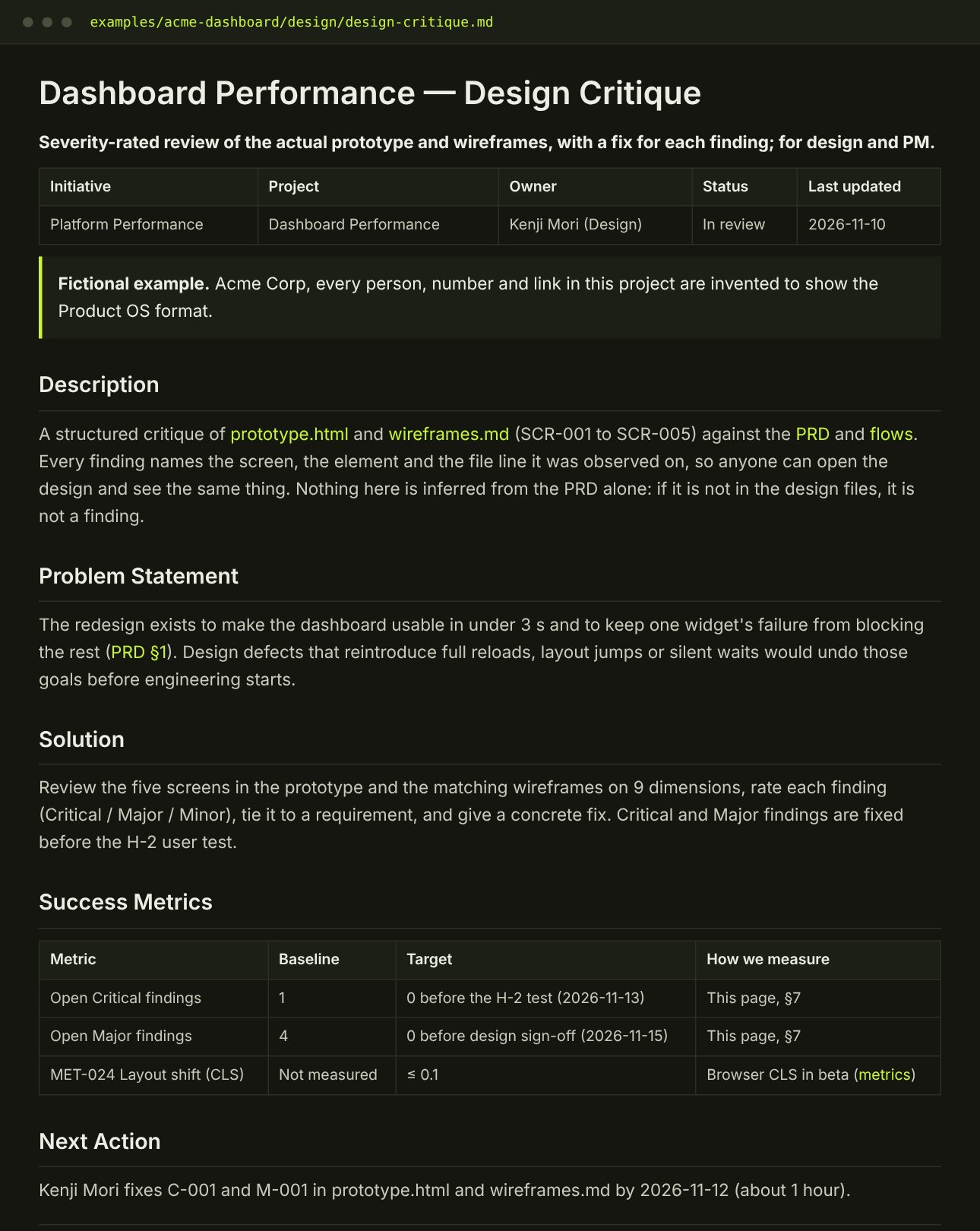 Design critiqueEvery finding rated by severity, with a fix06 · review · Design Critic10
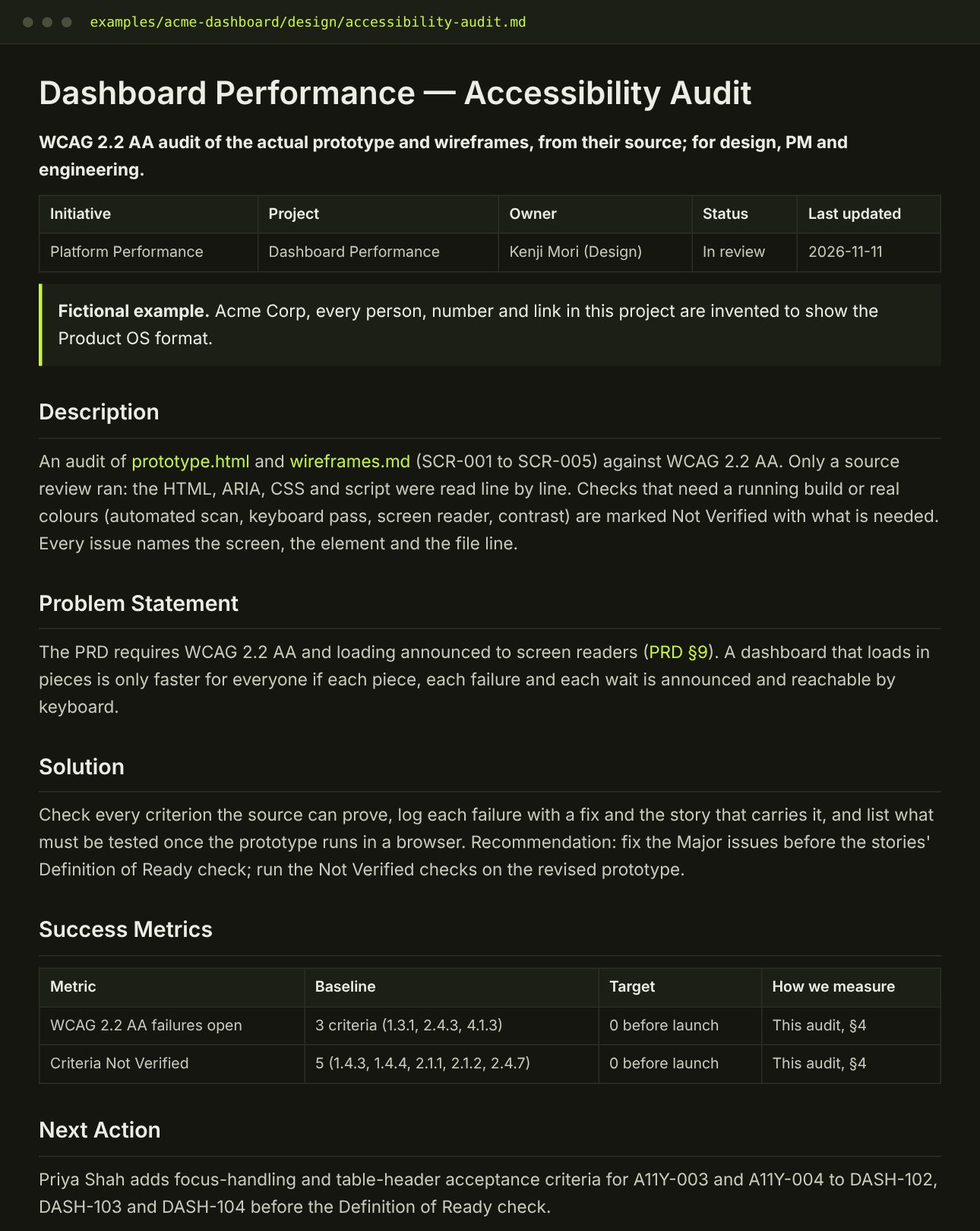 ValidationA WCAG 2.2 AA audit, then the Definition of Ready check06 · review · Accessibility Auditor, Gate Keeper11
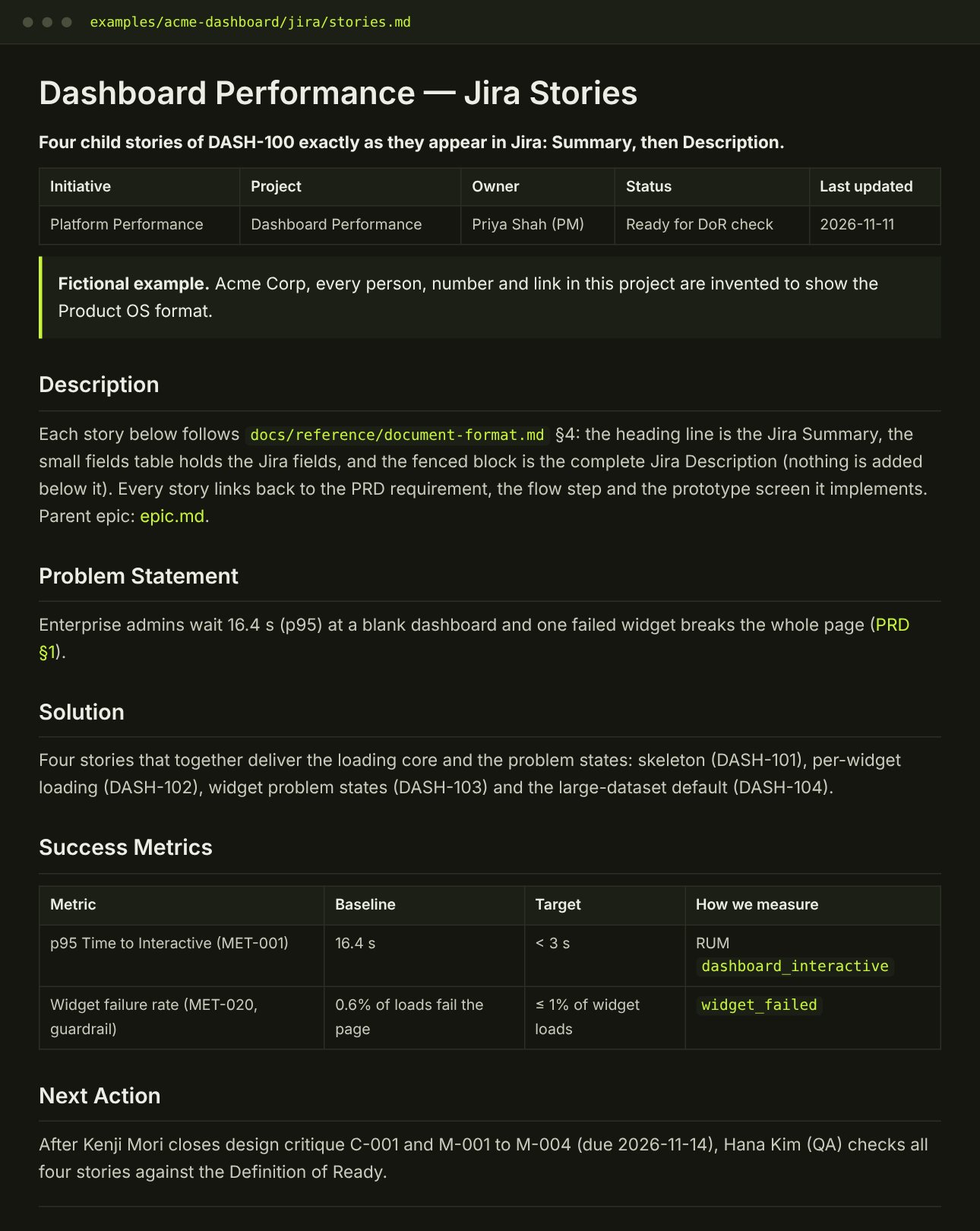 Epics and Jira storiesStories with acceptance criteria and points, as they appear in Jira07 · deliver · Delivery Agent, Jira Sync12
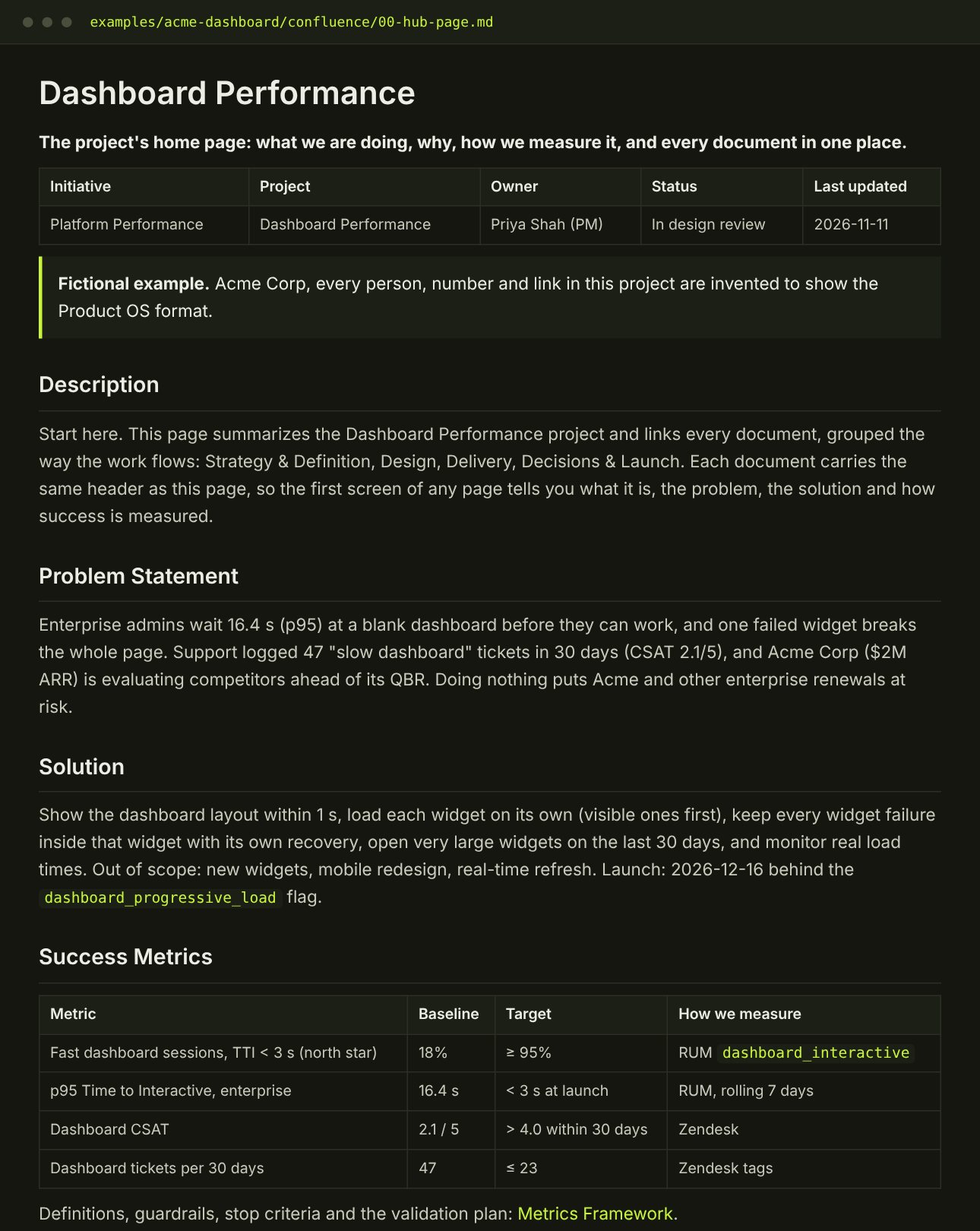 HandoffThe project hub page: every document, in four groups, for the team07 · deliver · Confluence Publisher
Every screen and every story names the flow step and the requirement it answers, so a reviewer can trace a wireframe or a ticket back to the PRD.
The clickable prototype
05 · proof
Where it has run
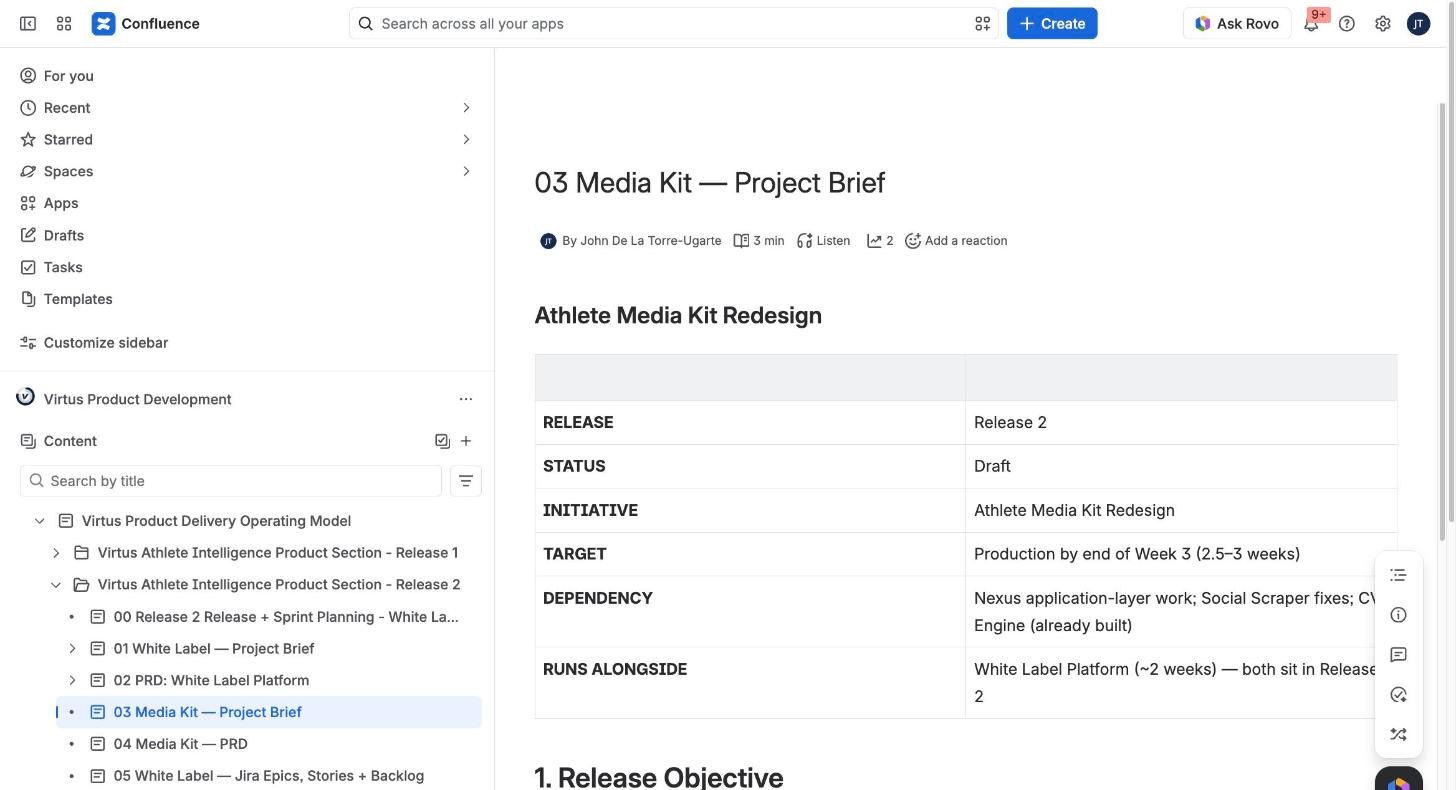
I did not test Product OS on a sample project. I ran my real work through it, and then other product managers did the same with theirs.
Virtus · the Ask AI feature
From a proposal to an approved backlog
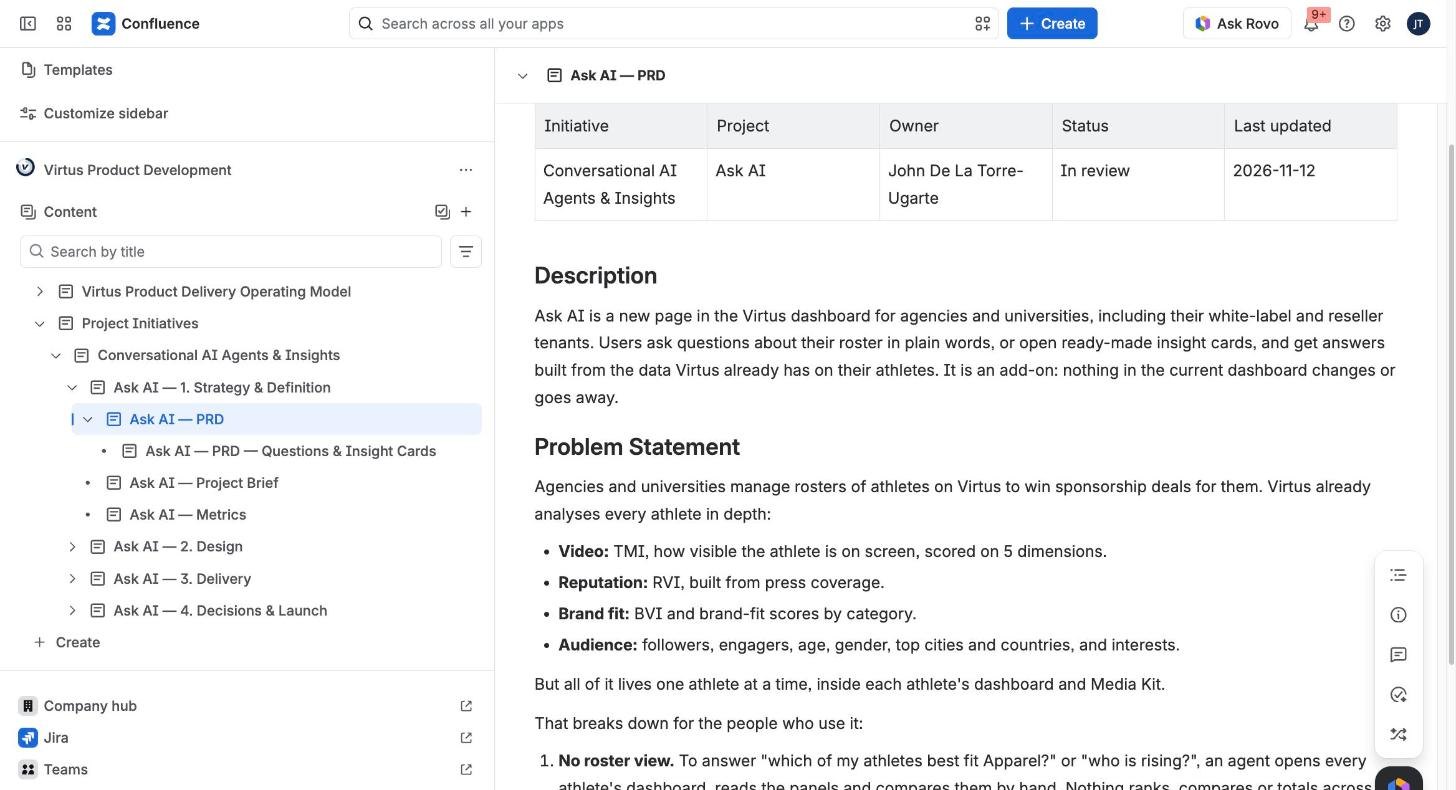
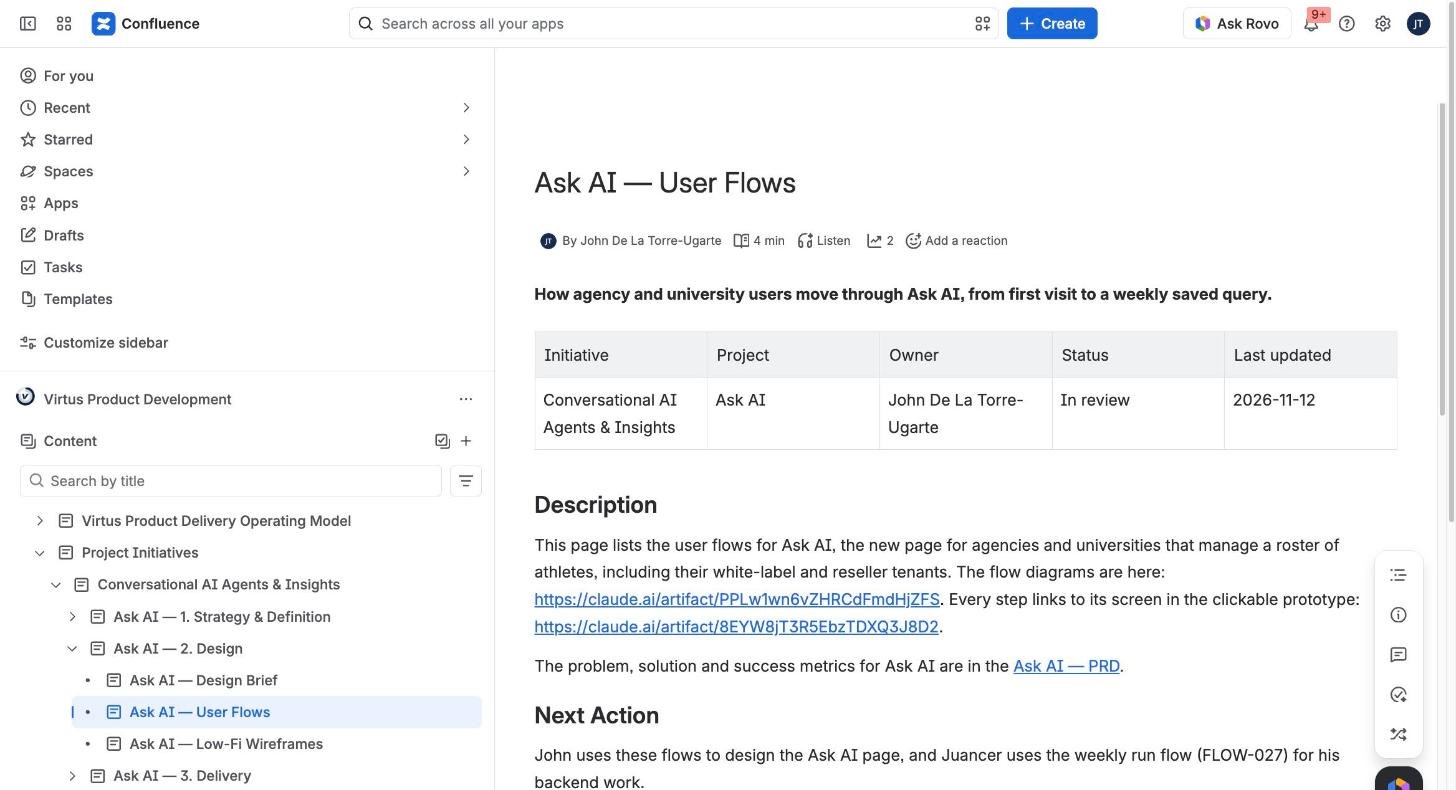
One pass produced the PRD, the user flows, low-fidelity wireframes for agencies, universities and mobile, and the tickets. Each one was approved before it was published.
21 user flows3 wireframe sets116 tickets in one Jira epic
SynoraFit · the whole product
A company run through it, not a feature
Discovery, proto-personas, the roadmap, the design system, a design review and the Jira backlog, with coding agents building one task at a time.
8 proto-personas39 design review findings22 epics in Jira
Open the SynoraFit case story (password)
Litehouse · DistrictOS
Used in my current role
I use Product OS for product and design work on DistrictOS: initiatives with their own hub pages, PRDs, briefs, plans, user flows, wireframes and stories, published to the team's Confluence after approval. The content is under a non-disclosure agreement, so there is nothing to show here.
This website
The site you are reading
From the first intake document to this build: the PRD, the knowledge base behind the ask bar, nine case studies, and a design critique before a case study is approved.
9 case studies1 ask bar, answering only from an approved knowledge base
initiatives/personal-brand/portfolio-redesign/
├─ intake.md
├─ research-synthesis.md
├─ hypothesis-log.md
├─ prioritization.md
├─ prd.md
├─ ask-bar/knowledge-base.md
└─ case-studies/ materials for each case study
Other product managers
It works for people who are not me
Several product managers I know have used Product OS on their own work. That was the test I cared about most: whether the structure holds when someone else runs it.
06 · get it
It is open source. Take it.
Product OS is on GitHub under the MIT licence, with its agents, playbooks, templates, tests and a changelog.
160clones in 14 days
74unique cloners
GitHub traffic report, 9 to 22 November 2026. The repository was published on 6 November. GitHub counts every clone, including automated ones.
$ git clone https://github.com/johnedelatorre/product-os
$ /product-os:guide
What I learned
structure beats prompting
A template and a playbook per document give the same quality every time. A clever prompt does not.
the gate is the product
People trust the agents because nothing is published without them. The approval step is what makes the speed safe.
use it on yourself first
Every rule in it came from a real project where the lack of that rule cost me time.